Fortepyan Documentation Guide
Overview
In Fortepyan, we are using mkdocstrings to automaticaly generate documentation directly from docstrings.
We are using Google style format.
Creating New Pages
- Step 1: create a new .md file in the
docs/directory. - Step 2: edit the
mkdocs.ymlfile and add the new page to thenavsection. - Learn more about how mkdocs works here.
Writing Docstrings
trim method from the MidiPiece class is used as an example.
"""
Trim a segment of a MIDI piece based on specified start and finish parameters, with options for different slicing types.
This method modifies the MIDI piece by selecting a segment from it, based on the `start` and `finish` parameters.
The segment can be selected through different methods determined by `slice_type`. If `shift_time` is True,
the timing of notes in the trimmed segment will be shifted to start from zero.
Args:
start (float | int): The starting point of the segment. It's treated as a float for 'standard' or 'by_end' slicing types,
and as an integer for 'index' slicing type.
finish (float | int): The ending point of the segment. Similar to `start`, it's treated as a float or an integer
depending on the `slice_type`.
shift_time (bool, optional): Whether to shift note timings in the trimmed segment to start from zero. Default is True.
slice_type (str, optional): The method of slicing. Can be 'standard', 'by_end', or 'index'. Default is 'standard'. See note below.
Returns:
MidiPiece: A new `MidiPiece` object representing the trimmed segment of the original MIDI piece.
Raises:
ValueError: If `start` and `finish` are not integers when `slice_type` is 'index', or if `start` is larger than `finish`.
IndexError: If the indices are out of bounds for 'index' slicing type, or if no notes are found in the specified range for other types.
NotImplementedError: If the `slice_type` provided is not implemented.
Examples:
Trimming using standard slicing:
>>> midi_piece.trim(start=1.0, finish=5.0)
Trimming using index slicing:
>>> midi_piece.trim(start=0, finish=10, slice_type="index")
Trimming with time shift disabled:
>>> midi_piece.trim(start=1.0, finish=5.0, shift_time=False)
An example of a trimmed MIDI piece:
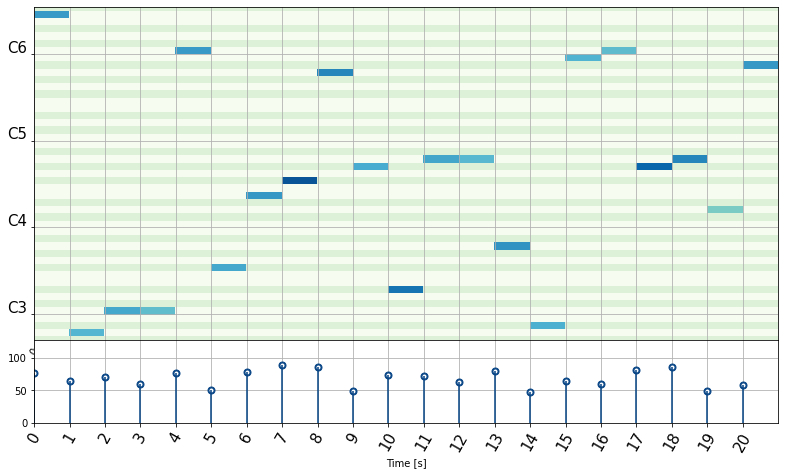
Slice types:
The `slice_type` parameter determines how the start and finish parameters are interpreted. It can be one of the following:
'standard': Trims notes that start outside the [start, finish] range.
'by_end': Trims notes that end after the finish parameter.
'index': Trims notes based on their index in the DataFrame. The start and finish parameters are treated as integers
"""
...
Rendering Documentation
To visualize docstring changes:
- Insert the following line in the respective .md file:
- For module specific options, you can use the following syntax:
- Run
mkdocs servein the terminal to render the documentation locally.
Explore more options in the mkdocstrings documentation.